

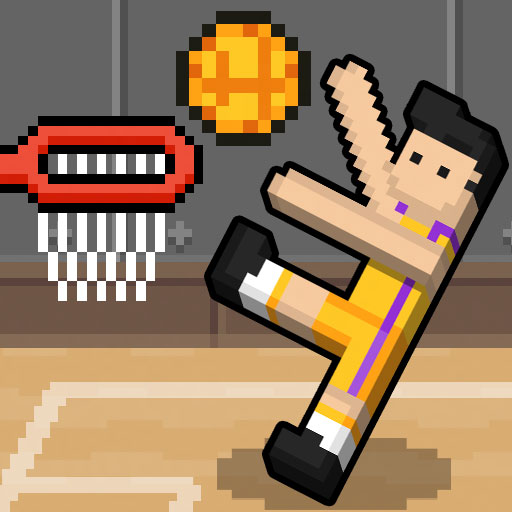
1. Game Overview
Basket Random is basketball rebuilt as a one-button physics comedy. Each side controls a two-player stickman team, but one key makes both characters jump and swing at the same time. That deliberately limited control produces unpredictable rebounds, awkward dunks, accidental blocks, and last-second saves. You can face the computer in single-player mode or sit beside a friend for a local two-player match on the same keyboard.
The game constantly changes the conditions instead of asking you to master one fixed court. After a point, the arena, ball, player bodies, arm lengths, or other physical details may shift, forcing both sides to adjust immediately. A technique that worked on the previous possession can fail under the new setup. The first team to reach five points wins, so every successful basket matters and a special ball may create an especially important swing. Matches are short enough for quick breaks but unpredictable enough to support long rematch sessions. Its appeal comes from the balance between luck and timing: nobody can command every limb precisely, yet experienced players learn when to press, when to let the ragdolls settle, and how to use their current body shape. It is accessible to almost anyone and particularly entertaining when two people share the screen.
Key Details
- Genre: Physics basketball, casual two-player sports
- Difficulty Level: Variable
- Average Play Time: 2–5 minutes
- Best For: Friends sharing a device, casual players, and fans of funny physics
Gameplay Video
Basket Random gameplay
2. How to Play
Getting Started
- Choose one-player mode against the CPU or two-player local mode.
- Press your single action key to make both team members jump and interact with the ball.
- Time presses near the ball to shoot, block, or redirect it toward the opposing hoop.
- Reassess the players, court, and ball after every point because conditions change.
- Become the first team to score five points.
Basic Controls
- Player 1:
W. - Player 2: Up Arrow.
- Touch devices: Tap the on-screen side or action button if the current build provides touch controls.
Objective
Send the ball through the opponent's basket and reach five points before the other team. Both ragdolls respond to the same input, so timing replaces direct movement control.
3. Game Features & Highlights
- ✓ One-button controls that anyone can understand immediately
- ✓ Solo play against AI and local two-player competition
- ✓ Random courts, balls, bodies, and physics after scoring
- ✓ Two-character teams controlled as one chaotic unit
- ✓ Short first-to-five matches built for instant rematches
4. Tips & Strategies
Beginner Tips
- Wait for your characters to face the ball before pressing repeatedly.
- Avoid constant button mashing because airborne players cannot correct every mistake.
- Focus on keeping the ball away from your own hoop before attempting ambitious shots.
Advanced Strategies
- Press as the ball reaches hand level to create a stronger upward shooting motion.
- Use the front ragdoll to challenge while the rear ragdoll protects rebounds near the basket.
- Adapt your rhythm after each point instead of repeating the previous winning pattern.
What to Watch Out For
- Long arms and unusual balls change contact timing dramatically.
- An aggressive jump can knock the ball backward into your own basket.
5. Game Elements Explained
One-Button Ragdoll Physics
The single action key controls both teammates, but their current balance, orientation, and distance from the ball determine the result. Pressing while a character is grounded usually creates a jump and arm movement; pressing during a collision may turn the same input into a block, tip, or uncontrolled spin. Because you cannot issue separate commands, the goal is to create favorable situations before acting. Let a ragdoll land when its body is facing away from the play, and press when hands or feet are aligned with the ball. The two teammates can also interfere with each other, so rapid inputs sometimes reduce control instead of increasing it. Watch the motion cycle and think in beats: settle, jump, contact, recover. Experienced players still face surprises, but they produce more useful contacts because they time the shared action around the team's current shape rather than treating every moment identically. Even a defensive pause can improve the next jump by restoring both players to a more useful upright position.
Random Rounds and Scoring
Every point acts like a miniature reset. The environment may introduce a different court, ball, hoop position, player size, arm length, or physical response. This system prevents one tactic from dominating an entire match. A heavy ball may reward close-range contacts, while a light or lively ball can travel across the court after a small touch. Taller players may block easily but need more time to rotate; unusual arms may create strong dunks and equally dangerous own goals. The first-to-five format makes adaptation important because there are only a few possessions in which to understand each setup. Check the new conditions before the next input and decide whether to press early or defend patiently. If a special ball awards extra value in the active build, treat that possession as a high-priority round and avoid careless jumps near your basket. The scoreboard should guide risk: protect a lead under awkward conditions and attack more aggressively when the current setup favors your team.
6. Frequently Asked Questions
How do I move or shoot with only one button?
Press W or Up Arrow to make both teammates jump and swing. Their current body position determines whether the action becomes movement, a shot, or a block.
What should I do if my players keep falling over?
Pause briefly and let the ragdolls rotate or land before pressing again. Controlled timing is more reliable than continuous input.
Is this game compatible with mobile devices and browsers?
It runs in modern browsers and may provide touch buttons on mobile. Local two-player mode is easiest on a desktop keyboard.
Can I save my progress?
No campaign save is necessary. Each first-to-five match is self-contained, although the browser may remember simple settings.
How do I unlock new courts or characters?
Courts and player forms normally change randomly rather than through a permanent unlock menu. Start another round or match to see different combinations.
Categories
Tags