

1. Game Overview
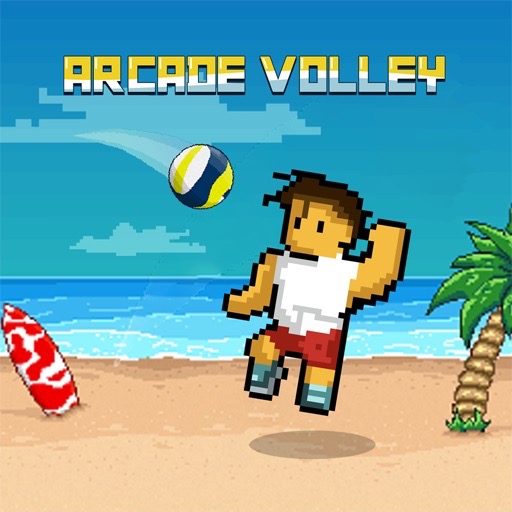
Arcade Volley turns beach volleyball into a bright, fast two-on-two contest where timing matters more than complicated simulation controls. You guide a pair of players across compact courts, keep the ball from touching your side, and create attacking chances with jumps and spikes. The pixel-inspired presentation, colorful locations, and quick rallies give the game an upbeat summer atmosphere while keeping the ball easy to follow.
Each side can use up to three contacts to control and return the ball, encouraging a simple bump-set-spike rhythm even though the inputs remain minimal. Matches are generally played to fifteen points, so a single rally matters but there is enough time to recover from an early mistake. Different characters, ball designs, and court locations add variety, while tournament progress gives players a longer goal beyond one exhibition. The game is approachable because movement and attacks use only a few keys. Its challenge comes from positioning both teammates before the ball arrives, jumping at the correct height, and deciding whether to send a safe return or a powerful attack. Players who enjoy responsive sports games can learn the basics in one round, then improve through better spacing and anticipation. Arcade Volley works especially well for short sessions that still feel like a complete match.
Key Details
- Genre: Arcade volleyball, two-on-two sports
- Difficulty Level: Medium
- Average Play Time: 5–10 minutes
- Best For: Volleyball fans, timing-game players, and quick tournament sessions
Gameplay Video
Volley Random browser playthrough
2. How to Play
Getting Started
- Choose an available character, ball, and court or enter the next tournament match.
- Move beneath the incoming ball before attempting a jump.
- Use controlled contacts to keep the rally alive and set up an attack.
- Jump near the net and attack while airborne to send a sharper return.
- Reach the match's target score before the opposing side.
Basic Controls
- Move:
AandDto travel left or right. - Jump:
W. - Attack / Spike: Press
Wwhile airborne near the ball.
Objective
Win rallies by making the ball land on the opponent's side or forcing an invalid return. Build points until your team reaches the winning total, commonly fifteen.
3. Game Features & Highlights
- ✓ Quick two-on-two rallies built around timing and court position
- ✓ Simple movement, jump, and airborne attack controls
- ✓ Multiple characters, balls, and colorful court locations
- ✓ Tournament-style progression and increasing challenge
- ✓ Classic three-touch structure that supports planned attacks
4. Tips & Strategies
Beginner Tips
- Move under the ball first; jumping from the wrong position rarely creates a useful hit.
- Use a safe high return when your team is disorganized.
- Save aggressive net jumps for balls that are clearly within reach.
Advanced Strategies
- Use the first contact for control, the second to shape the angle, and the third for an attack.
- Approach the net late so the opponent has less time to read your spike timing.
- Aim returns toward open floor rather than directly at a prepared defender.
What to Watch Out For
- Repeated early jumps leave both teammates unable to respond to a soft return.
- Hitting too flat near the net can send the ball back onto your own court.
5. Game Elements Explained
Rallies and the Three-Touch Rhythm
Volleyball becomes much easier to control when each contact has a purpose. The first touch should prevent the ball from landing and move it into a playable area. The second can improve height or position, and the final contact should send it over the net. You do not always need all three touches, but thinking in that sequence stops rushed attacks. Watch the ball's arc and move early so your players are grounded before contact. A high ball gives you time to reset; a low, fast ball may require an immediate defensive return. Near the net, jump so your character meets the ball above the tape and can direct it downward. Farther back, prioritize height and safety. Strong rally play is not constant aggression—it is the ability to recognize whether the current ball is an attack opportunity or a recovery situation. Count the team's contacts mentally so the final touch crosses the net instead of becoming an avoidable violation.
Positioning, Spikes, and Court Coverage
Your two players should cover different parts of the court whenever possible. If both crowd the net, a deep return can score untouched; if both remain back, the opponent can place short balls in front. Move with the likely landing point and leave enough separation for a second contact. Spikes are strongest when the ball is slightly in front of the attacker at peak jump height. Jumping directly beneath or behind it often produces a weak vertical touch. On defense, observe the opponent's approach: an early jump may indicate a hard attack, while a late contact may create a softer angle. Position before reacting with another jump. Court and ball variations can change speed, but the same principle holds—balanced coverage gives you more time, and more time creates cleaner attacks. After a block attempt, move away from the net quickly enough to cover a tip or ricochet. Good spacing also reduces teammate collisions, preserving a clear path for the next bump or set.
6. Frequently Asked Questions
How do I perform a spike?
Move close to the ball, press W to jump, and press or hold the attack input while airborne as the ball reaches your hitting side.
What should I do if the ball keeps dropping between my players?
Keep the pair spread across front and back zones, move before jumping, and use higher defensive touches until both players are balanced.
Is this game compatible with mobile devices and browsers?
It runs in a modern HTML5 browser. Keyboard controls are documented, so desktop play is recommended unless touch buttons appear.
Can I save my progress?
Tournament progress or selections may be stored locally by the browser. There is no account-based cloud save, and clearing site data may reset progress.
How do I unlock more characters or courts?
Win matches, advance through tournaments, and spend earned rewards where the selection menu offers unlocks.
Categories
Tags